API Keys
Create and manage API keys for the Tuix PDF Service.
An API key authenticates your requests to the Tuix PDF Service. You create and manage keys in the Tuix dashboard under API Keys.
Create an API key
In the dashboard, open your profile at the bottom of the sidebar and choose API Keys from the menu.
Click New API Key in the top right to open the dialog.
Enter a descriptive Key Name, e.g. "production API key".
Click Generate Key and copy the value right away.
The key is shown only once. After you close the dialog you cannot see it again. Copy it immediately and store it securely.
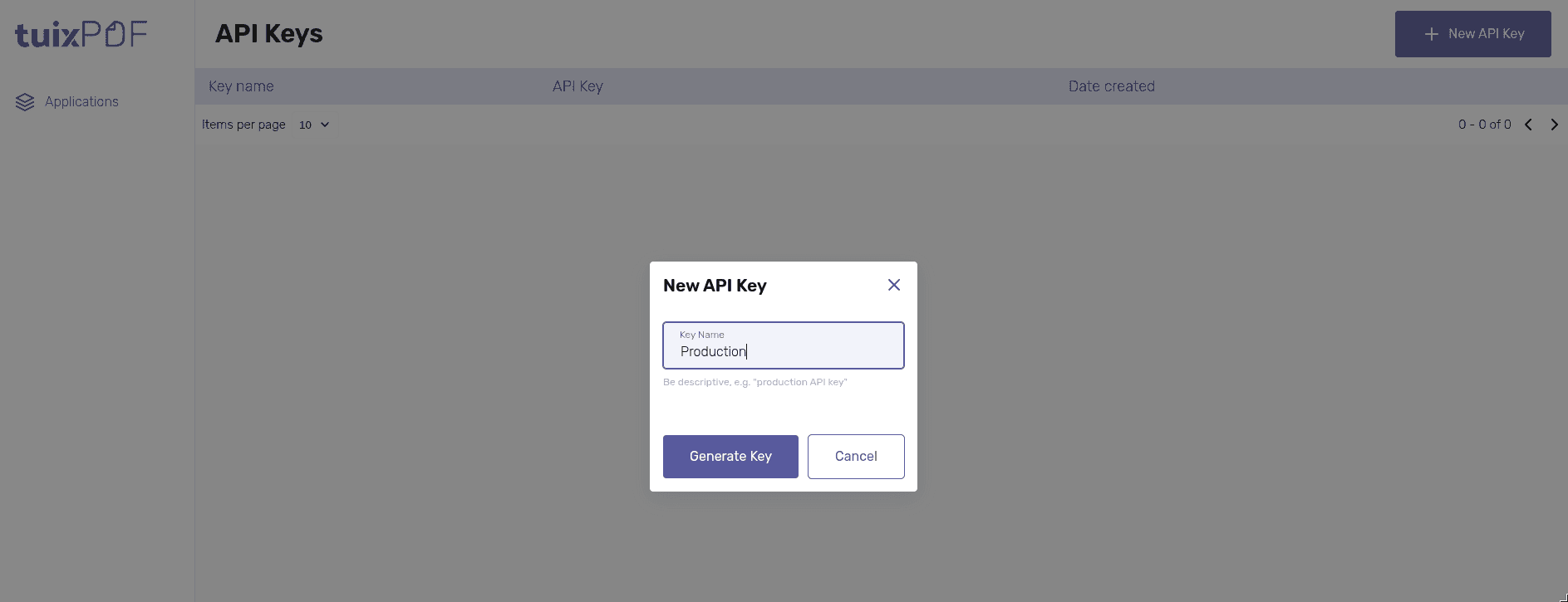
The table lists your keys by name, with a masked preview of the value and the
creation date. Delete a key there when it is no longer needed; the deletion
takes effect immediately and any request using that key then answers
403 Forbidden.
Handling keys
- Keys are secret. There is no public key variant: every key can reach the whole API, so it belongs on the server only.
- Store the key in an environment variable (e.g.
TUIX_PDF_API_KEY), not in source control. - Use a separate key per environment and per consuming service, so a single key can be revoked without affecting the rest.
- Rendering from a browser app means proxying through your own backend, see Call it from another service.